Skip to content
Seewrite

Sign in

Free with an account: a one-time bonus of 3 extra tries on this device, and access to paid plans.

Continue with Google

By signing in you agree to the terms. The privacy policy says what we keep: your email and how many tries you’ve used.

Image to Prompt Generator

Upload a photo and our free image to prompt generator writes an AI image prompt that captures its subject, style and lighting, ready for Midjourney, Flux, Stable Diffusion or ChatGPT.

Drop an image, browse, or paste Ctrl+V

PNG, JPG, WEBP up to 10 MB. Resized to 768px in your browser before sending.

Prompt format

A natural-language prompt that works in most image generators.

5 of 5 free tries left today

Your prompt

Add an image and press Generate prompt.

Results usually arrive in a few seconds.

What is image to prompt?

Image to prompt means turning a picture into the text an AI image generator needs to make something like it. A vision model looks at the image and writes down what matters for recreating it: the subject, setting, composition, camera angle, lighting, colors, medium and mood. You paste that prompt into Midjourney, Flux, Stable Diffusion, ChatGPT or another generator and get a new image in a similar style.

It works on photos, paintings, illustrations, 3D renders and screenshots. It does not recover the exact prompt someone originally used; that information isn’t stored in the image file.

It goes by a few names: image prompt generator, img to prompt, photo to prompt. They all mean the same thing.

A free image to prompt generator that does the writing for you

Get the prompt behind any picture

Drop in a photo, painting, illustration or 3D render. A vision model studies it and writes a prompt that covers the subject, composition, lighting, color palette and style, in the order image generators read best.

You don’t need an account. Paste the result straight into your generator.

Try it
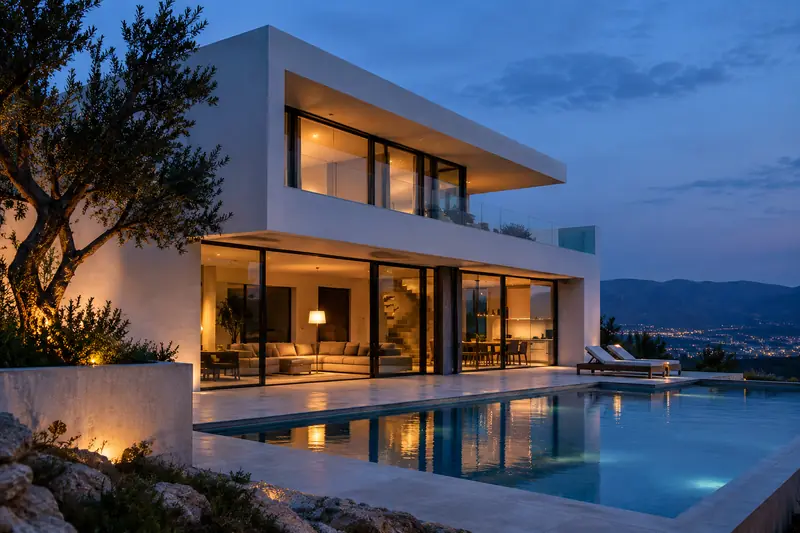
A modern white concrete house with glass walls and a lit pool on a hillside at dusk.

Prompt · General · Unedited output

A professional architectural photograph of a stunning two-story modern minimalist villa at twilight. The building features sharp geometric lines, smooth white stucco walls, and expansive floor-to-ceiling glass windows that reveal a warm, inviting interior. A large rectangular infinity pool in the foreground reflects the building's soft interior glow and the deepening blue of the dusk sky. The composition is a wide-angle shot from a slightly low perspective, emphasizing the structure's grandeur. The lighting is a sophisticated mix of warm golden light from within the house and the cool, ambient blue of the evening. The mood is serene, luxurious, and tranquil.
One picture, five prompt formats

Pick General for ChatGPT and most tools, Midjourney for comma-separated phrases with --ar taken from your image, Stable Diffusion for weighted keywords, Flux for long literal descriptions, or JSON for scripts.

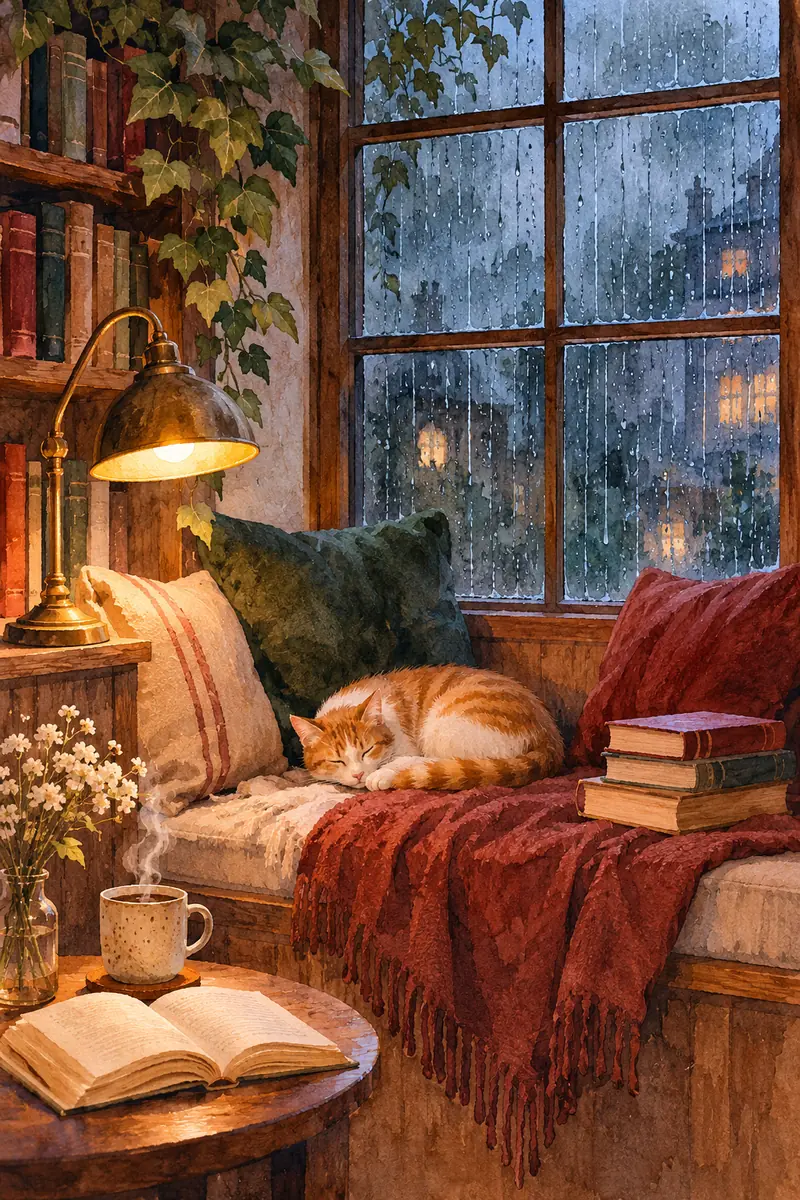
The card on this watercolor shows the Midjourney version.

Try it
Watercolor of a window seat on a rainy evening, with a sleeping ginger cat, a brass lamp, books and a cup of tea.

Prompt · Midjourney · Unedited output

A cozy window seat with a sleeping ginger cat, rainy cityscape viewed through window panes, soft glowing desk lamp, stack of vintage books, steaming cup of tea, small bouquet of wildflowers, plush velvet cushions, warm amber lighting, raindrops on glass, watercolor painting style, nostalgic atmosphere, intimate setting, muted earthy tones, dreamy mood, highly detailed textures --ar 2:3

Does the prompt actually recreate the image?

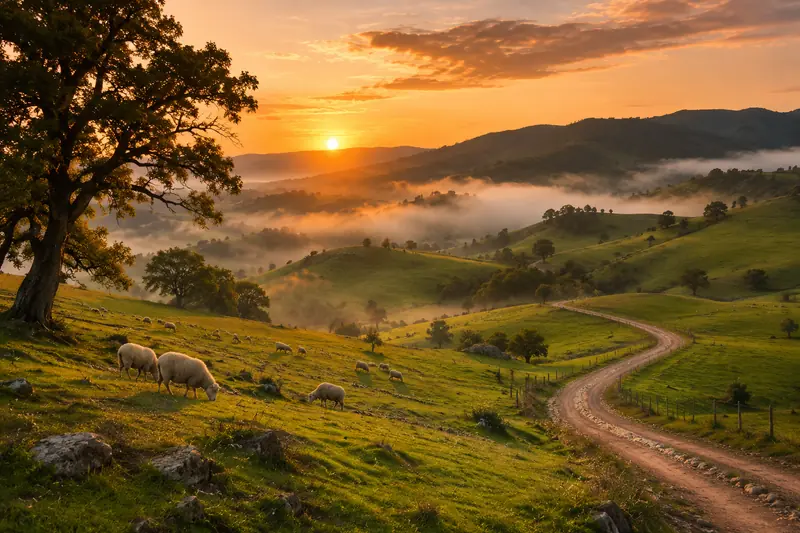
Each original went through our AI image to prompt tool, and the prompt was pasted, unedited, into a new ChatGPT chat. Every regenerated image is its first attempt.

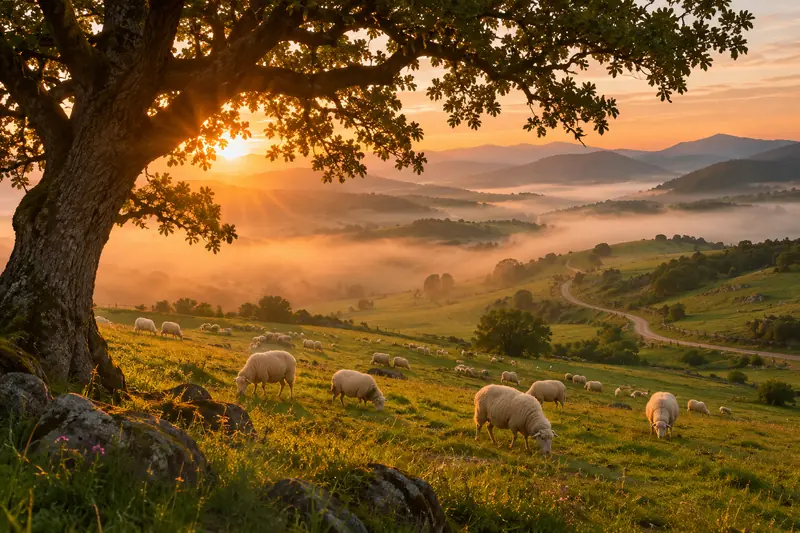
Original: green hills at sunrise with sheep, an oak tree and a winding dirt road, fog in the valleys.
Original
Regenerated from our prompt: sheep grazing on misty hills at sunrise under a large oak tree, with a road winding to the mountains.
Regenerated

Landscape photo

Our prompt, unedited (General format):

A sprawling, picturesque landscape at sunrise features a herd of fluffy white sheep grazing on rolling green hills. A large, gnarled oak tree frames the left side of the composition in the foreground, its silhouette casting soft shadows. A winding dirt road snakes through the valley toward distant, mist-covered mountains. The low sun pierces through a soft layer of fog, creating a golden, ethereal glow across the scene. The color palette is dominated by warm oranges, soft yellows, and vibrant greens. This high-resolution landscape photograph evokes a serene, peaceful, and pastoral mood.

Show full promptShow less

Both images made with ChatGPT image generation.

The originals are AI images too, made with ChatGPT image generation, so we can publish all of them. A prompt can’t capture every pixel: expect the same subject, mood and palette, with details that differ.

How the AI image prompt generator works

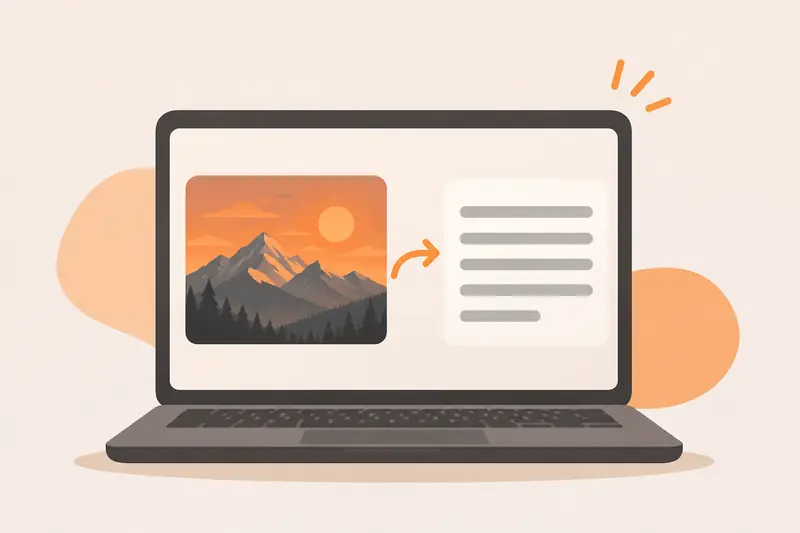
Illustration of a laptop showing a mountain picture with an arrow pointing to lines of text.
  1. Add an image

    Upload, drag, paste or link a PNG, JPG or WEBP. Your browser shrinks it to 768px first, so it sends fast even on mobile data.

  2. Pick a format and language

    Choose General, Midjourney, Stable Diffusion, Flux or JSON, and the language you want the prompt in.

  3. Generate the prompt

    A vision model studies subject, composition, lighting, color and style, then writes the prompt. Most results arrive in two to five seconds.

  4. Copy and create

    Copy the prompt into your image generator. Not quite right? Press Regenerate or try another format.

What it does well

  • Names the medium and style: oil painting, woodblock print, 35mm photo, 3D render
  • Describes lighting, color palette, camera angle and mood
  • Recognizes famous artworks and landmarks
  • Quotes short, clear text that appears in the image

Where it falls short

  • It can’t recover the creator’s original prompt, seed or settings
  • It may miscount objects or misread small or stylized text
  • It won’t name private people; it describes their appearance instead
  • Generators interpret prompts differently, so results will vary

Which prompt format should I pick?

FormatWhat you getBest for
GeneralA natural-language prompt that works in most image generators.ChatGPT, Gemini, Firefly, Ideogram, Leonardo
MidjourneyComma-separated descriptors plus an aspect-ratio parameter.Midjourney (adds --ar from your image)
Stable DiffusionWeighted tags and a negative prompt.SDXL, SD 3.x, ComfyUI, Automatic1111
FluxA detailed descriptive paragraph; Flux follows long prompts well.FLUX models, which follow long literal prompts
JSONStructured fields you can edit or feed to scripts.Scripts, templates, prompt libraries

What people use it for

Recreating a look

Found a style you like? Get the words for its lighting, palette and medium, then make your own version.

Learning prompt wording

See how an image breaks down into subject, composition and style terms, and borrow the vocabulary.

Building a prompt library

Turn mood-board images into consistent prompts. The JSON format keeps each part in its own field.

What happens to your image

  • Resized on your device. The browser shrinks the image to 768px and converts it to JPEG before anything is sent.
  • Processed, not kept. Our server passes the image to an AI model on Cloudflare Workers AI and sends back the text. We don’t save the image or the prompt.
  • Nothing saved afterwards. When you leave the page, the prompt is gone unless you copied it. We keep no history of your images or results.

Read the privacy policy

Need a description instead of a prompt?

Prompts are written for image generators. If you need plain sentences for alt text, a caption, or to understand what’s in a picture, use the AI image describer, which gives a short, detailed or caption-style description.

Frequently asked questions

How do I create an AI prompt from a photo for free?

Upload, drop or paste the photo into the tool at the top of this page, pick a prompt format, and press Generate prompt. You get a text prompt in a few seconds that you can copy into any AI image generator. It costs nothing and needs no account; everyone gets 5 free tries a day across all our tools.

What is the prompt for this image?

Unless the creator published it, the original prompt behind an image can’t be recovered: it isn’t stored inside the file. What this tool does is write a new prompt that describes the image closely enough to produce something similar. Expect a close match in subject, style and mood, not a pixel-perfect copy.

Which AI image tools can I use the prompt with?

The General format works in most text-to-image tools, including ChatGPT, Gemini, Ideogram, Leonardo and Adobe Firefly. The Midjourney, Stable Diffusion and Flux formats follow the conventions those tools respond to best, and JSON gives you editable fields for scripts and templates.

Why does the same image give a different prompt each time?

Language models choose their words with a bit of randomness, so two runs describe the same picture in slightly different ways. Both are valid. If you like one, copy it before running the tool again.

Is it really free? Is there a limit?

Yes, with no account and no hidden credits. To keep it free for everyone, you get 5 free tries a day on each device, shared across all our tools, and there is also a site-wide daily limit. Both reset at midnight UTC. A try that fails on our side doesn’t count. Optional paid plans give more tries if you need them.

Does my image get uploaded or stored?

Your image is resized in your browser, then sent over an encrypted connection to our server, which passes it to an AI model running on Cloudflare Workers AI and returns the text. We don’t save your image or the generated prompt.

What kinds of images work best?

Clear photos, illustrations, paintings, 3D renders, anime art and product shots all work well. Very small, blurry or heavily cropped images give vaguer prompts. The model can misread fine text, count objects wrong, or miss small details, so check the prompt before you rely on it.

Can I use it for adult or explicit images?

No. Explicit images are not supported and may be rejected. The tool is meant for general creative work.