Skip to content
Seewrite

Sign in

Free with an account: a one-time bonus of 3 extra tries on this device, and access to paid plans.

Continue with Google

By signing in you agree to the terms. The privacy policy says what we keep: your email and how many tries you’ve used.

AI Image Describer

Upload a picture and our AI image describer writes a clear image description: a one-line caption, a short summary, or a detailed paragraph that walks through everything in it.

Drop an image, browse, or paste Ctrl+V

PNG, JPG, WEBP up to 10 MB. Resized to 768px in your browser before sending.

Description length

A full paragraph covering people, objects, setting, colors and mood.

5 of 5 free tries left today

Description

Add an image and press Describe image.

Results usually arrive in a few seconds.

An image description generator that writes like a person

Most photos online have no description at all. That’s a problem for people who use screen readers, for search engines that can’t see images, and for anyone who needs to explain a picture in words. This describer reads the image and writes the description for you, in plain language and in the order a person would explain it: the overall scene first, then the details.

It’s also a quick way to let AI describe image details you might miss: small text, background objects, the direction of the light.

It’s different from our image to prompt generator. A prompt is written for an AI image tool, full of style and camera terms. A description is written for people: it says what’s there without telling anyone how to recreate it.

An AI image description generator for captions, notes and more

A one-line caption

Caption mode sums a picture up in a single sentence, handy for photo libraries, social posts and file notes.

Try it
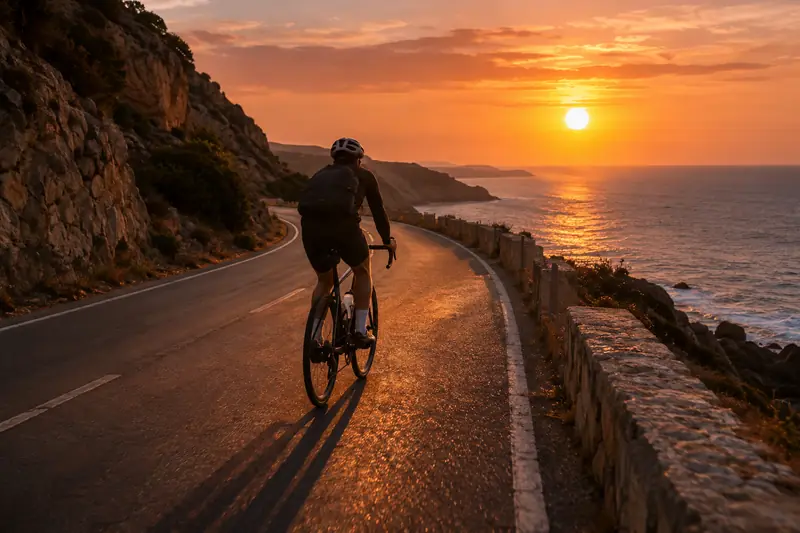
A cyclist seen from behind riding a coastal road toward the sunset over the sea.

Description · Caption · Unedited output

A cyclist rides along a winding coastal road toward a glowing orange sunset over the ocean.

Every detail, in reading order

Detailed mode starts with the overall scene, then works through the objects, any text, the colors and the light, the way you’d explain a picture to someone who can’t see it.

Short mode sits in between: two or three sentences.

Try it
A rustic workbench with a wooden birdhouse, hand tools, jars of nails and a lit desk lamp.

Description · Detailed · Unedited output

A cluttered, rustic woodworking workbench is illuminated by the warm, golden glow of an adjustable metal desk lamp. The scene is set in a cozy, dimly lit workshop with wooden walls and shelves. In the center of the workbench sits a newly constructed, light-colored wooden birdhouse with a circular entrance hole. Surrounding the birdhouse are various woodworking tools and materials: a wooden hammer, a red tape measure, a hand plane, several wooden scraps, and wood shavings scattered across the surface. Several glass jars filled with nails and wooden dowels stand behind the birdhouse. On the left, a potted green plant sits near a window, and a speckled ceramic mug rests on the bench. In the background, a tool rack hangs on the wall, displaying a collection of screwdrivers, pliers, and saws. The lighting is focused and dramatic, casting soft shadows and highlighting the textures of the wood and metal. The overall mood is industrious, nostalgic, and peaceful, suggesting a quiet moment of craftsmanship in a dedicated maker's space.

How to use the AI image describer

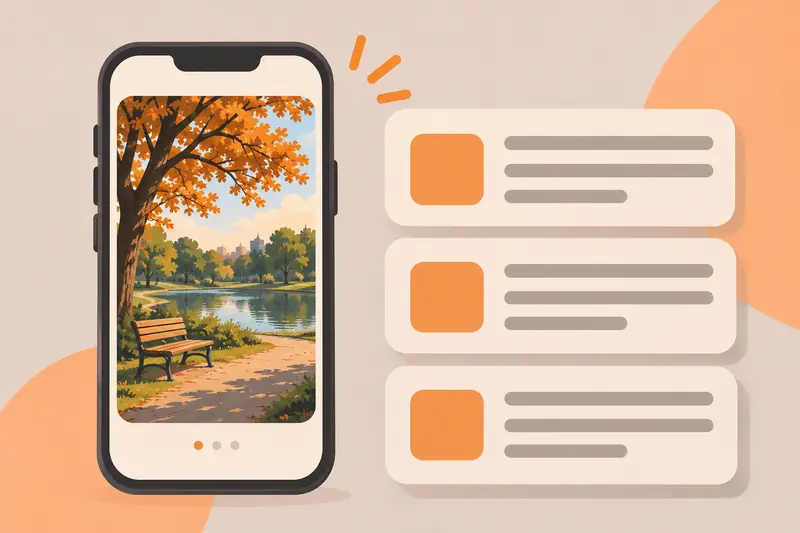
Illustration of a phone showing a park photo next to three cards with lines of text.
  1. Add an image

    Upload, drag, paste or link a PNG, JPG or WEBP. Your browser shrinks it to 768px before sending.

  2. Choose a length and language

    Caption for one line, Short for a few sentences, Detailed for everything. Pick the language you want it written in.

  3. Describe the image

    A vision model reads the picture and writes the description, usually in two to five seconds.

  4. Copy and use it

    Paste it into your caption, listing, report or notes. Edit anything you know better than the model.

When a written description helps

Descriptions for listings and archives

Describe product photos, old family pictures or archive scans so they can be searched and catalogued.

Understanding a picture

Low vision, a tiny screenshot, or an unfamiliar scene: Detailed mode walks through everything in it.

Writing and research

Product listings, reports, archives and catalogs all need consistent descriptions. Start from a draft instead of a blank page.

Practicing description

Compare your own description with the model’s to spot details you missed and words you could use.

How to describe an image well

  1. Say what kind of image it is. Photo, painting, chart, screenshot or illustration changes how people read the rest.
  2. Lead with the main subject. Who or what is it about, and what are they doing?
  3. Add context in order. Setting, then the important details, then colors and light.
  4. Quote any text that matters, exactly as written.
  5. Fit the length to the purpose. One line for a caption; a paragraph when the image carries the message. For the alt attribute itself, use the alt text generator.
  6. Describe, don’t guess. Say “appears to” when you’re not sure, and don’t assume identity, age or feelings.

Want to recreate an image with AI instead?

Use the image to prompt generator to get a prompt for Midjourney, Flux, Stable Diffusion or ChatGPT.

Frequently asked questions

Can AI describe an image for me?

Yes. Add your picture to the describer above, choose a length, and ask it to describe this image. A vision model looks at the picture and writes what it sees: the subjects, what they’re doing, the setting, colors, any readable text and the overall mood. It takes a few seconds and needs no account.

How do I describe an image in detail?

Start with the big picture (what kind of image it is and the main subject), then move to the details in a logical order: people or objects, what’s happening, the setting, colors and light, and any text. End with the mood or purpose. The Detailed mode follows this order, so you can use its output as a model for your own writing.

What’s the difference between Short, Detailed and Caption?

Short gives one or two sentences that cover the main subject and setting. Detailed gives a full paragraph of roughly 120 to 200 words. Caption gives a single line that sums the picture up.

Can I use it for alt text?

For the alt attribute, use our alt text generator instead: it gives three options under 125 characters, can use a focus keyword and page context, and scores each one. The describer is for fuller descriptions.

Open the alt text generator

How accurate are the descriptions?

Accurate on the main subject, setting, colors and style in most images. The model can still miscount objects, misjudge small details, or misread stylized text, and it describes rather than identifies private people. Treat the result as a strong first draft.

Can it read text in an image?

It quotes short, clear text such as signs, labels and headings. It isn’t an OCR tool: long documents, handwriting and tiny print are often summarized or misread.

Is my image stored?

No. The image is resized in your browser to 768px, sent over an encrypted connection, described by an AI model on Cloudflare Workers AI, and not saved by us.